Discover, Compare & Master Find the best AI tools for your next project in seconds. Check our latest AI insights

Projekt

Verified

Projekt review covering AI project management features, task automation, workflows, pricing, and how to manage projects smarter and faster.

4.6/5 editorial rating 702 upvotes
  • Main category: productivity
  • Subcategory: AI Project Management
  • Pricing: Freemium
  • Web
  • Best For Task management, workflow automation, team collaboration, and productivity optimization.
  • Free Trial Yes
  • Reviewed By arbaazkhan
  • Last Updated March 27, 2026

Editorial note: ratings and verdicts on this page are internal editorial assessments, not third-party user review averages.

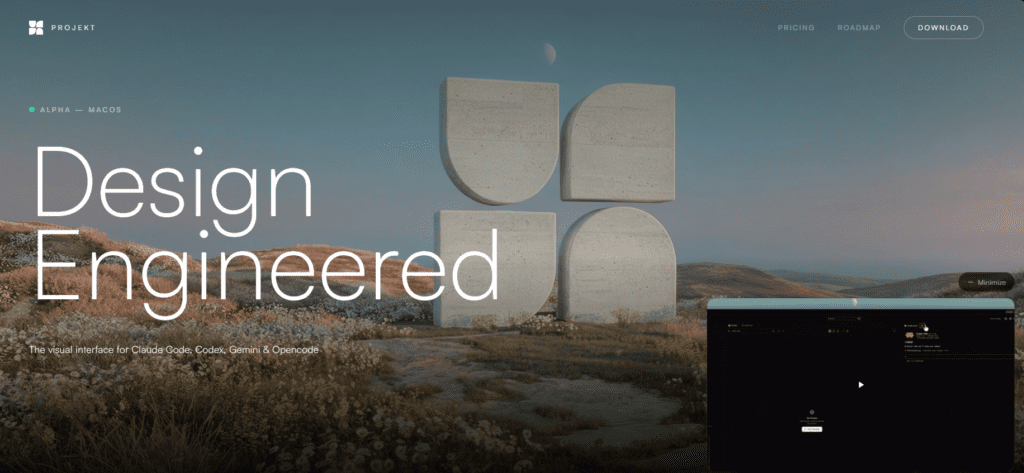
Projekt - Design Engineered

Projekt Verdict

The Daily AI Tools experts found that Projekt offers structured, AI-driven task management and workflow insights, simplifying planning and reducing manual tracking. It benefits small teams and individuals valuing speed and clarity, making project execution smarter without extra complexity.

What Is Projekt?

Projekt is an AI-powered project management tool that helps users organize tasks, manage workflows, and improve productivity through smart automation.

Users create tasks, which the tool organizes by suggesting structure and priorities. It aids in task management, workflow planning, team collaboration, and productivity tracking. Projekt emphasizes clarity, structure, and efficiency, reduces manual planning, and helps users stay organized.

It works as a smart assistant for projects. It does not replace managers. It improves decision-making and execution.


Review Summary

  • Performance Score A
  • Content Quality High
  • Interface User-Friendly
  • Ai Technology natural language processing (NLP), task prioritization algorithms, workflow automation logic, contextual suggestions engine, productivity tracking systems
  • Purpose project management, task organization, productivity improvement, team collaboration, workflow automation
  • Compatibility Windows, macOS, Mobile browsers
  • Pricing Summary Free Tier + One Time Payment Plan

Projekt Key Features

  • 1

    AI Task Management

  • 2

    Workflow Automation

  • 3

    Smart Prioritization

  • 4

    Project Structuring

  • 5

    Collaboration Tools

  • 6

    Productivity Insights

  • 7

    Clean Dashboard

  • 8

    Task Tracking

  • 9

    Fast Setup

  • 10

    Minimal Learning Curve

  • 11

    Easy for beginners.

  • 12

    Real-Time Updates

Who Should Use Projekt?

Projekt review covering AI project management features, task automation, workflows, pricing, and how to manage projects smarter and faster.

Is Projekt Worth It?

Projekt offers a free starting point, while paid plans may make sense for heavier or team-based use.

Pros And Cons

Pros

  • Simplifies project management with an AI-assisted organization.
  • Easy to use with minimal setup.
  • Improves productivity and workflow clarity.
  • Suitable for individuals and teams

Cons

  • Not a full enterprise-level project management suite.
  • Limited advanced customization compared to complex tools.
  • AI suggestions may require manual adjustments.

Projekt Pricing

Free

$0

  • Full access to all features
  • Visual workspace + live preview
  • Native support for Claude Code, Opencode, Gemini CLI & Codex CLI
  • Element selection & inline editing
  • File browser & code editor

Founder

$50

  • Full access during alpha
  • 1-year subscription at launch
  • 50% off for life after that
  • Priority support
  • Early access to new features
  • Founder badge

Frequently Asked Questions