Editorial note: ratings and verdicts on this page are internal editorial assessments, not third-party user review averages.
Snappify Verdict
The Daily AI Tools experts found that Snappify turns raw code into clean, appealing content for sharing and teaching. It is fast, intuitive, and designed for developers. While not an AI coding tool, it enhances presentation and communication. Overall, it’s essential for developers to showcase code professionally.
What Is Snappify?
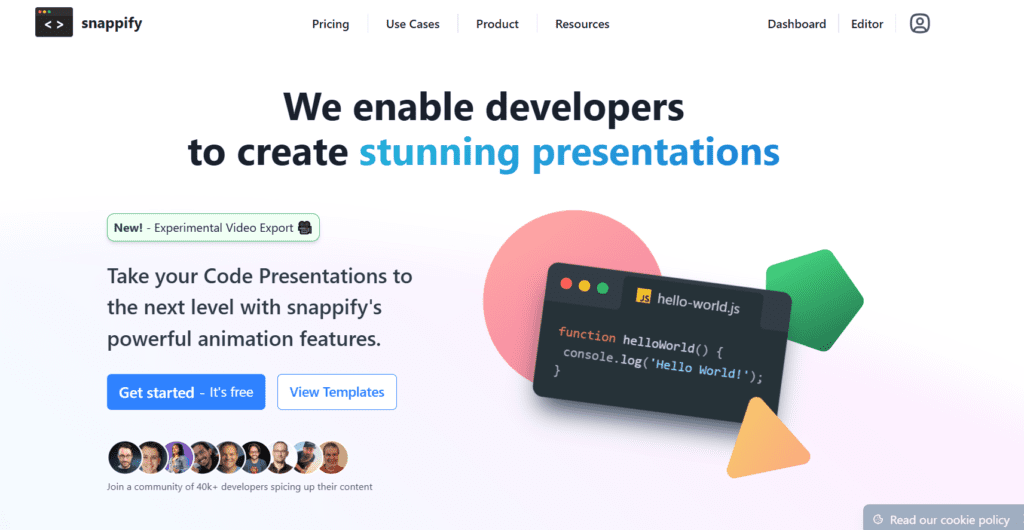
Snappify is a code screenshot generator that helps developers create clean, styled visuals of code snippets for sharing and presentation.
Users paste code; the tool instantly formats it, applying themes, layouts, and styles. It serves for sharing code snippets, creating developer content, building tutorials, and posting on social media. Snappify emphasizes visual clarity, enhancing code appearance, not functionality.
Snappify works as a design tool for developers. It turns code into visual content and helps communicate ideas better.
Review Summary
Performance ScoreA+
Content QualityHigh
InterfaceUser-Friendly
Ai Technologysyntax highlighting engines, code rendering systems, layout and design engines, theme customization logic, export optimization tools
Purposedevelopers and programmers, code snippet sharing, technical content creation, social media posts, coding tutorials
CompatibilityWindows, macOS, Linux, Mobile browsers
Pricing SummaryFree tier + Subscription Plans
Snappify Key Features
1
Code Screenshot Generator
2
Syntax Highlighting
3
Custom Themes
4
Background Styling
5
Code Presentation Layouts
6
Export Options
7
Responsive Design
8
Minimal Interface
9
Social Media Ready
10
Developer-Focused Tool
11
Custom Branding
12
Real-Time Preview
Who Should Use Snappify?
Snappify review covering code screenshot generator features, developer tools, visuals, pricing, and how to share code beautifully online.
Is Snappify Worth It?
Snappify offers a free starting point, while paid plans may make sense for heavier or team-based use.
Pros And Cons
Pros
Creates beautiful and professional code visuals instantly.
Very easy to use with fast results.
Ideal for developers and content creators.
High-quality export and sharing options.
Cons
Not an AI coding or debugging tool.
Limited functionality beyond code visualization.
Advanced customization requires a paid plan.
Snappify Pricing
Free
3 Snap Storage limit
Sync snaps and folders
5 Slides per presentation with watermark
Video export Frame rate 30fps
MP4 Export
GIF Export
5 AI Explanations
Profile info
1 Code editor per slide
Live Chat
Starter
$5/Month
Everything in free
100MB Image upload limit
500 Snap Storage limit
50 Slides per presentation
50 AI Explanations
10 Text elements per slide
2 Custom images per slide
50 Simple Snap Calls
Live Chat
Frequently Asked Questions
Snappify is used to create styled code screenshots for sharing and presentations.
Yes. It offers a free plan with optional paid upgrades.
Snappify uses design and rendering systems, not advanced AI models.
Yes. You can download high-quality images of your code snippets.
Yes. It is designed specifically for developers who want to present code visually.
Developers, educators, and content creators who want to share code professionally.