Editorial note: ratings and verdicts on this page are internal editorial assessments, not third-party user review averages.
Clockwise Verdict
According to the Daily AI Tool experts, Clockwise AI performed well while testing and effectively reorganized meetings, protected focus time, and reduced scheduling conflicts. Its conversational scheduling and team coordination capabilities stand out for real-world workflows. The scheduling engine works reliably even with complex team calendars. While advanced features require paid plans, the free version already provides meaningful automation.
What Is Clockwise?
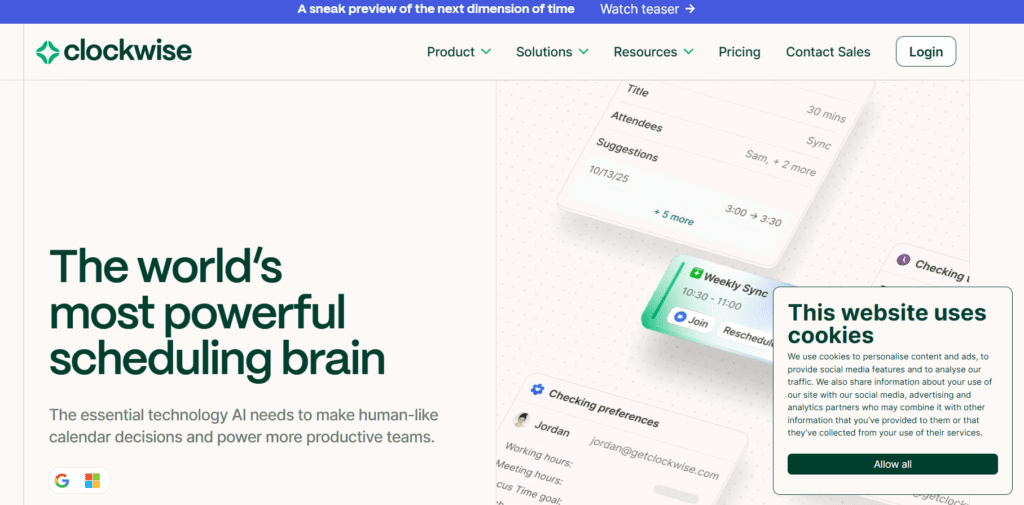
Clockwise AI is a calendar assistant that automatically schedules meetings, optimizes workdays, and creates uninterrupted focus time. It helps professionals and teams manage time more efficiently without manual calendar adjustments.
The tool leverages Large Language Models (LLMs) combined with a proprietary scheduling engine. Clockwise feeds user intent into its internal optimization system, allowing more accurate decision-making and smarter automation.
Clockwise AI is ideal for busy professionals, remote teams, and organizations focused on productivity optimization.
Review Summary
Performance ScoreA
Content QualityProduces highly accurate scheduling recommendations based on preferences.
InterfaceClean and minimal interface integrated directly into existing calendars.
Ai TechnologyUses GPT-powered intent understanding with a proprietary scheduling engine.
PurposeAutomates meeting coordination and protects uninterrupted work time.
CompatibilityWorks with Google Calendar, Outlook, Slack, and browser extensions.
Pricing SummaryFree plan available with scalable team-based paid subscriptions.
Clockwise Key Features
1
AI-powered calendar optimization
2
Automatic Focus Time scheduling
3
Smart meeting rescheduling
4
Conversational calendar management
5
Team-wide scheduling coordination
6
Group scheduling links
7
Task-to-calendar automation
Who Should Use Clockwise?
Clockwise AI is a calendar assistant that automatically schedules meetings, optimizes workdays, and creates uninterrupted focus time.
Is Clockwise Worth It?
Clockwise offers a free starting point, while paid plans may make sense for heavier or team-based use.
Pros And Cons
Pros
Automates complex scheduling without manual effort.
Protects deep work and focus time automatically.
Learns user preferences over time.
Excellent team coordination features.
Seamless integration with existing calendars.
Cons
Advanced analytics locked behind paid plans.
Limited usefulness without team adoption.
Requires calendar access permissions.
Monthly pricing only available for the Teams tier.
Initial setup preferences may take time.
Clockwise Pricing
Free
$0
Automatically find the best time for your tasks and routines
Schedule seamlessly outside your organization with unlimited Clockwise Scheduling Links
Protect personal time for meals, travel, and appointments
Delegate calendar management to Clockwise
Teams
$6.75
Everything in the Free plan
Meeting optimization for more focus time
Auto-scheduled Focus Time holds
Group scheduling links for teams
External meeting coordination
Enhanced productivity optimization
Business
$11.50
Everything in Teams, plus:
Measure meeting load and focus time across your entire organization
Access advanced billing management and admin controls
Implement a company-wide no-meeting day
Frequently Asked Questions
Clockwise AI automatically organizes your calendar, schedules meetings intelligently, and protects uninterrupted work time.
Yes, it integrates directly with Google Calendar and Microsoft Outlook calendars.
Yes, a free plan is available with core scheduling and calendar optimization features.
It uses AI and a proprietary scheduling engine to rearrange meetings based on preferences and team availability dynamically.
Professionals, remote teams, managers, engineers, and organizations that struggle with meeting overload and fragmented schedules.