Discover, Compare & Master Find the best AI tools for your next project in seconds. Check our latest AI insights

Picsart

Verified

Picsart review covering AI photo editing tools, image generator, background remover, creative design features, pricing, and use cases for creators

4.7/5 editorial rating 852 upvotes
  • Main category: Image
  • Subcategory: AI Art Generator
  • Pricing: Freemium
  • Web
  • Best For AI photo editing, image generation, social media graphics, and digital design
  • Free Trial Yes
  • Reviewed By arbaazkhan
  • Last Updated March 14, 2026

Editorial note: ratings and verdicts on this page are internal editorial assessments, not third-party user review averages.

Picsart

Picsart Verdict

The Daily AI Tools experts found that Picsart is one of the most versatile AI-powered creative platforms available today. It combines advanced AI editing technology with user-friendly design tools. The platform’s mobile-first design makes it especially popular among social media creators and digital marketers. Overall, Picsart stands out as a powerful AI creative studio for visual content creation

What Is Picsart?

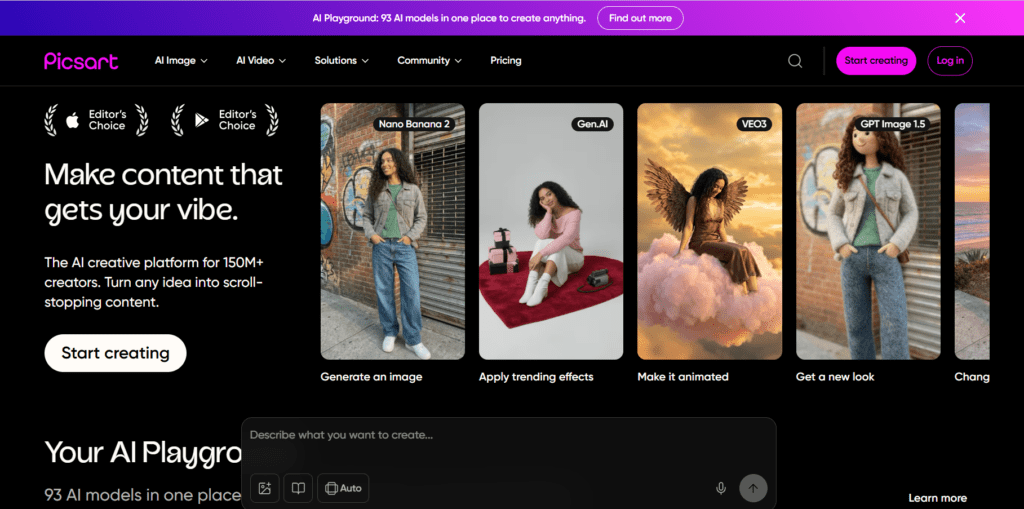
Picsart is an AI-powered photo editing and creative design platform that enables users to create, enhance, and generate visual content using artificial intelligence tools. The platform combines traditional image editing software with generative AI technology to automate complex editing tasks such as background removal, object replacement, and image generation from text prompts.

The system integrates AI photo editing tools, automated image enhancement, creative design templates, and generative AI art features that allow users to transform ordinary photos into professional-quality visuals. Users can design social media graphics, promotional visuals, digital artwork, and marketing content using customizable editing tools and AI-powered automation.

Picsart works across mobile devices and web browsers, making visual creation accessible to beginners and professionals alike. Its large library of filters, fonts, stickers, and creative assets helps users experiment with different visual styles. As a result, Picsart has become a widely used platform for AI photo editing, graphic design, digital art generation, and social media content creation.

Review Summary

  • Performance Score A+
  • Content Quality Very-High
  • Interface User-Friendly
  • Ai Technology AI image generation from text prompts, AI background removal, AI object removal and replacement, AI photo enhancement algorithms, AI art filters and style transfer, AI sticker generator, automated image editing tools, generative AI creative engine
  • Purpose AI photo editing, generative AI image creation, social media graphics design, digital artwork creation, marketing visual production, image enhancement and retouching, creative visual storytelling
  • Compatibility Windows, macOS, iOS, Android
  • Pricing Summary Free tier + Multi-purpose Subscriptions + Custom Enterprise Plan

Picsart Key Features

  • 1

    AI Image Generator

  • 2

    AI Background Remover

  • 3

    AI Object Removal & Replacement

  • 4

    AI Photo Enhancement

  • 5

    AI Art Filters

  • 6

    Creative Design Templates

  • 7

    Smart Object Selection

  • 8

    Sticker and Asset Library

  • 9

    Photo Retouching Tools

  • 10

    Collage Maker

  • 11

    Drawing and Illustration Tools

  • 12

    Social Media Content Studio

Who Should Use Picsart?

Picsart review covering AI photo editing tools, image generator, background remover, creative design features, pricing, and use cases for creators

Is Picsart Worth It?

Picsart offers a free starting point, while paid plans may make sense for heavier or team-based use.

Pros And Cons

Pros

  • Picsart combines AI photo editing with powerful graphic design tools.
  • The platform offers mobile-friendly editing ideal for social media creators.
  • AI automation simplifies complex editing tasks like background removal and object editing.
  • The freemium model allows users to start creating visuals without upfront cost.

Cons

  • Some advanced AI editing tools are only available in premium plans.
  • Large creative projects may require desktop editing for better control.
  • Beginners may need time to explore the platform’s full creative capabilities.

Picsart Pricing

Free

$0

  • 5 credits/week
  • Standard photo & video editing tools
  • Selection of free images, videos & customizable templates
  • Limited AI access
  • 100 MB of cloud storage

Pro

$15/Month

  • 500 credits/month
  • Access to all photo & video editing features
  • Advanced background & object removal
  • 1-tap image enhancer
  • Millions of stock photos & Getty video clips
  • Selection of trendy fonts, text styles & stickers
  • Thousands of premium templates
  • Support for 3+ brand kits
  • Bulk edit up to 50 images at once
  • 100 GB of cloud storage

Ultra

$45/Month

  • 5x more usage than Pro
  • Everything in Pro
  • Early access to advanced AI features
  • Leading AI models to design & automate workflows (Nano Banana, Veo 3, Sora & more)
  • Support for 10+ brand kits
  • Add team seats
  • Create ad variations and localize
  • Track ads performance
  • 2000 credits for API services
  • Bulk edit up to 100 images at once
  • 300 GB of cloud storage per

Frequently Asked Questions