Discover, Compare & Master Find the best AI tools for your next project in seconds. Check our latest AI insights

Lucidchart

Verified

Lucidchart AI review covering diagram generation, flowcharts, collaboration tools, workflow visualization, pricing, and productivity features.

4.7/5 editorial rating 899 upvotes
  • Main category: Image
  • Subcategory: AI Diagram Generator
  • Pricing: Freemium
  • Web
  • Best For Flowcharts, system diagrams, process mapping, and collaborative workflow visualization.
  • Free Trial Yes
  • Reviewed By arbaazkhan
  • Last Updated March 16, 2026

Editorial note: ratings and verdicts on this page are internal editorial assessments, not third-party user review averages.

Lucidchart Verdict

The Daily AI Tools experts found that Lucidchart is one of the most powerful visual collaboration and diagramming platforms available today. Its intelligent automation features help teams convert ideas into structured diagrams quickly while maintaining clarity and organization. The platform also excels in team collaboration, allowing multiple users to work on diagrams simultaneously. Overall, Lucidchart stands out as a professional diagramming solution for visualizing workflows, systems, and business processes.

What Is Lucidchart?

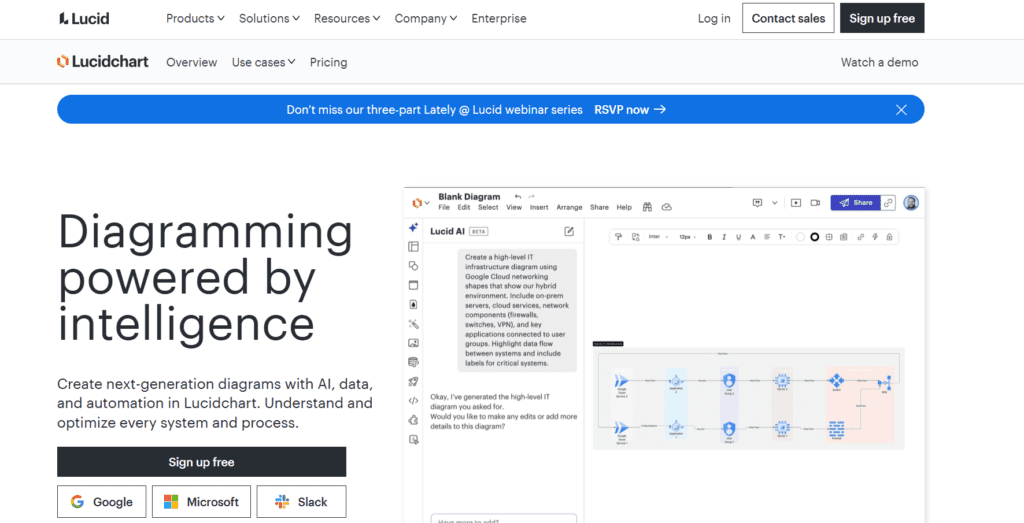
Lucidchart is an AI-assisted diagramming and visual collaboration platform that helps users create flowcharts, system diagrams, process maps, and organizational charts using intelligent design tools. The platform simplifies complex information by transforming ideas, workflows, and technical structures into clear visual diagrams.

Users can build diagrams using drag-and-drop elements, automated diagram suggestions, and smart formatting features. These capabilities help teams organize processes, visualize system architectures, and document business workflows more efficiently.

Lucidchart functions as a visual workspace for teams that need to communicate complex ideas through diagrams and collaborative planning tools. It is widely used by product teams, developers, project managers, and business analysts to create diagrams for software architecture, data flows, and strategic planning. As a result, Lucidchart has become a widely adopted platform for workflow visualization, process documentation, and collaborative diagram creation.
Lucidchart AI


Review Summary

  • Performance Score A
  • Content Quality High
  • Interface User-Friendly
  • Ai Technology intelligent diagram automation, smart formatting algorithms, automated layout optimization, data-driven diagram generation, visual collaboration tools, AI-assisted diagram suggestions
  • Purpose workflow visualization, system architecture diagrams, business process mapping, software design diagrams, organizational charts, project planning visuals, collaborative team diagrams
  • Compatibility Windows, macOS, Linux, iOS, Android
  • Pricing Summary Free tier + Subscription Model

Lucidchart Key Features

  • 1

    Smart Diagram Automation

  • 2

    Drag-and-Drop Diagram Builder

  • 3

    Real-Time Collaboration

  • 4

    Flowchart and Process Mapping

  • 5

    Data Linking and Visualization

  • 6

    Extensive Template Library

  • 7

    System Architecture Diagrams

  • 8

    Organizational Charts

  • 9

    Integration with Productivity Tools

  • 10

    Commenting and Review Tools

  • 11

    Cloud-Based Diagram Storage

  • 12

    Presentation Mode

Who Should Use Lucidchart?

Lucidchart AI review covering diagram generation, flowcharts, collaboration tools, workflow visualization, pricing, and productivity features.

Is Lucidchart Worth It?

Lucidchart offers a free starting point, while paid plans may make sense for heavier or team-based use.

Pros And Cons

Pros

  • Lucidchart provides powerful diagramming tools for professional workflows.
  • Real-time collaboration improves team productivity and communication.
  • The platform supports many diagram types, including flowcharts and system maps.
  • Cloud access allows teams to work from anywhere.

Cons

  • Advanced collaboration features require paid plans.
  • Large diagrams may require higher-tier plans for full functionality.
  • Some technical diagrams may need manual customization for complex systems.

Lucidchart Pricing

Free

  • 3 editable Lucidchart documents
  • 60 shapes per Lucidchart document
  • 100 templates
  • Basic Visual Activities
  • Basic data linking
  • Presentation mode
  • Commenting
  • Learning center
  • Lucid AI

Individual

$9/Month

  • Unlimited editable documents
  • Unlimited objects per document
  • Premium Visual Activities
  • 1 GB of storage
  • Visio import and export
  • Premium shape libraries
  • Premium templates

Team

$10/person/month

  • Team Plan at $10/person/month
  • Developer platform
  • Visual Activities advanced controls
  • Revision history with versioning
  • Call others to me
  • Password-protected publishing
  • Microsoft 365, Confluence, Jira, LeanIX, and Ardoq integrations

Frequently Asked Questions