Editorial note: ratings and verdicts on this page are internal editorial assessments, not third-party user review averages.
Napkin AI Verdict
According to the Daily AI Tool experts, Napkin AI stands out with its text-to-visual workflow that eliminates the need for complex design tools. During testing, our experts found that the platform generated clean diagrams and infographics that required minimal editing. The interface is intuitive, ideal for beginners and professionals to visualize ideas. The collaboration feature enhances its usability for teams. The tool is highly effective for visual storytelling, ideal for content creators and business professionals.
What Is Napkin AI?
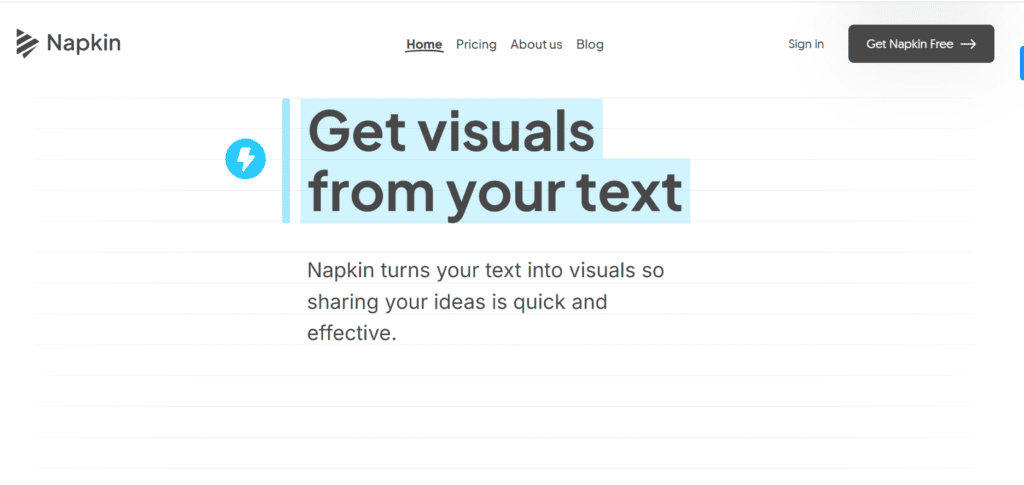
Napkin AI is the visual storytelling tool that converts written content into diagrams, charts, mind maps, and infographics. It helps users present ideas clearly by transforming text into structured visuals.
The AI is built on advanced algorithms that analyze the structure and context of text to generate relevant visuals. Napkin processes paragraphs, lists, and creates diagrams that match the content.
Napkin AI allows users to edit generated visuals, add icons, customize layouts, and export files. The platform is best suited for marketers, educators, content creators, and business teams who need quick visual communication.
Review Summary
Performance ScoreA
Content QualityProduces clear and structured visuals that improve content understanding.
InterfaceClean and beginner-friendly interface designed for quick visual creation.
Ai TechnologyUses AI to analyze text structure and convert it into diagrams and charts.
PurposeBuilt for transforming written ideas into visual storytelling formats.
CompatibilityWorks primarily on desktop browsers with export options for multiple formats.
Pricing SummaryOffers a free plan with credits and affordable paid plans for advanced features.
Napkin AI Key Features
1
AI text-to-visual generation
2
Automatic diagrams and flowcharts
3
Multiple visual style options
4
Customizable icons, connectors, and layouts
5
Real-time collaboration and teamspaces
6
Export visuals in PNG, PDF, PPT, and SVG
Who Should Use Napkin AI?
Napkin AI is the visual storytelling tool that converts written content into diagrams, charts, mind maps, and infographics.
Is Napkin AI Worth It?
Napkin AI offers a free starting point, while paid plans may make sense for heavier or team-based use.
Pros And Cons
Pros
Converts text into professional visuals within seconds.
Simple interface suitable for beginners.
Multiple export formats for presentations and documents.
Real-time collaboration for teams.
Free plan available with generous visual editing features.
Cons
Works best with structured text rather than abstract ideas.
Mobile editing support is currently limited.
Design customization options are still growing.
Heavy visual generation may require more AI credits.
Some visuals may appear similar due to template limitations.
Napkin AI Pricing
Free
$0/month
500 AI credits per week
Unlimited visual editing
Unlimited file import (PPT, DOC, PDF, HTML, MD)
Unlimited PNG & PDF export
Built-in styles and fonts
Standard icons
Napkin branding on visuals
Plus
$12/month
Everything is free, and
10,000 AI credits per month
Unlimited PPT & SVG export
3 Brand Styles
Bold icons
Remove Napkin branding
Team management and billing
Pro
$30/month
Everything in Plus, and
30,000 AI credits per month
Exclusive designs
Unlimited Custom Branding
Upload your fonts
Team management and billing
Optional credit top-ups
Frequently Asked Questions
Napkin AI converts written text into visuals such as diagrams, charts, mind maps, and infographics.
Yes, Napkin AI offers a free plan that includes weekly AI credits and basic visual generation.
Yes, visuals created in Napkin AI can be exported as PPT, PNG, SVG, and PDF files.
Yes, the platform includes teamspaces, real-time editing, and commenting features for collaborative work.
Napkin AI primarily works in desktop browsers, while mobile devices are mainly used for viewing content.