Discover, Compare & Master Find the best AI tools for your next project in seconds. Check our latest AI insights

Numerous AI

Verified

Numerous.ai review with AI Google Sheets automation, bulk prompts, data processing, pricing, and how to scale spreadsheet workflows efficiently.

4.7/5 editorial rating 742 upvotes
  • Main category: productivity
  • Subcategory: AI Spreadsheet Tools
  • Pricing: Freemium
  • Web
  • Best For Google Sheets automation, bulk AI tasks, data enrichment, and content generation.
  • Free Trial Yes
  • Reviewed By arbaazkhan
  • Last Updated March 27, 2026

Editorial note: ratings and verdicts on this page are internal editorial assessments, not third-party user review averages.

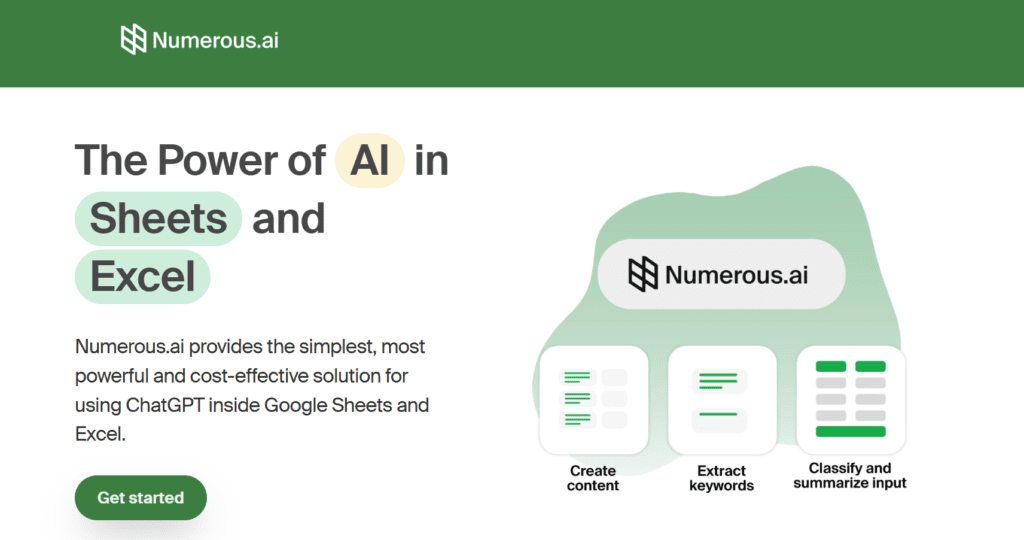
Numerous.ai -The Power of AI in Sheets and Excel

Numerous AI Verdict

The Daily AI Tools experts found that Numerous.ai excels at scaling AI tasks inside spreadsheets with speed and precision. It turns Google Sheets into a powerful automation layer for bulk operations and data workflows. While it depends on structured inputs, it delivers consistent results at scale. Overall, it is a high-performance AI tool for users managing large datasets and repetitive spreadsheet tasks.

What Is Numerous AI?

Numerous.ai is an AI-powered tool that brings automation directly into Google Sheets to handle bulk data tasks, content generation, and spreadsheet workflows. It allows users to run AI prompts inside cells. It processes large datasets quickly.

Users input prompts into spreadsheet cells. The tool generates outputs across rows. It removes manual repetition.

It supports bulk AI operations, spreadsheet automation, and data enrichment workflows. It helps teams scale tasks like content creation, classification, and analysis. It improves efficiency and accuracy.

Numerous.ai focuses on speed, scalability, and workflow automation. It works as an AI layer inside spreadsheets. It transforms Sheets into a powerful productivity engine.

Review Summary

  • Performance Score A+
  • Content Quality High
  • Interface Integrated & Functional
  • Ai Technology natural language processing (NLP), bulk prompt execution engine, spreadsheet integration systems, data processing algorithms, automation workflows
  • Purpose marketers handling large datasets, growth teams running campaigns, data analysts, content teams scaling output, businesses automating workflows
  • Compatibility Windows, macOS, Mobile browsers
  • Pricing Summary Free trial for $1 + Free demo + Paid Subscriptions

Numerous AI Key Features

  • 1

    AI in Google Sheets

  • 2

    Bulk Prompt Execution

  • 3

    Data Enrichment

  • 4

    Content Generation

  • 5

    Automation Workflows

  • 6

    Real-Time Processing

  • 7

    Scalable System

  • 8

    Simple Prompt Input

  • 9

    Integration with Sheets

  • 10

    High Efficiency

  • 11

    Flexible Use Cases

  • 12

    Performance Optimization

Who Should Use Numerous AI?

Numerous.ai review with AI Google Sheets automation, bulk prompts, data processing, pricing, and how to scale spreadsheet workflows efficiently.

Is Numerous AI Worth It?

Numerous AI offers a free starting point, while paid plans may make sense for heavier or team-based use.

Pros And Cons

Pros

  • Executes bulk AI tasks directly inside spreadsheets with high speed.
  • Scales content and data workflows efficiently.
  • Integrates seamlessly with Google Sheets.
  • Ideal for large datasets and automation.

Cons

  • Requires structured input for best results.
  • Limited outside Google Sheets ecosystem.
  • Credit-based pricing may vary with heavy usage.

Numerous AI Pricing

Personal

$19/Month

  • 1 million characters of ChatGPT inputs and outputs
  • Use in both Google Sheets and Excel
  • Limited to a single user

Pro

$39/Month

  • 5 million characters of ChatGPT inputs and outputs
  • Use in both Google Sheets and Excel
  • Share with up to 3 people on your team
  • Email support

Enterprise

$10/Month/User

  • 1 million characters of ChatGPT inputs and outputs, per person
  • Use in both Google Sheets and Excel
  • Priority email support
  • Video call onboarding if requested

Frequently Asked Questions