Discover, Compare & Master Find the best AI tools for your next project in seconds. Check our latest AI insights

Animaker

Verified

Animaker review covering features, pricing, and AI animation tools. Create animated videos, explainer videos, and marketing content with ease

4.6/5 editorial rating 711 upvotes
  • Main category: video
  • Subcategory: AI Animated Video
  • Pricing: Freemium
  • Web
  • Best For Animated video creation, explainer videos, marketing videos, educational content, and social media animations
  • Free Trial Yes
  • Reviewed By arbaazkhan
  • Last Updated March 11, 2026

Editorial note: ratings and verdicts on this page are internal editorial assessments, not third-party user review averages.

Animaker

Animaker Verdict

The Daily AI Tools experts found that Animaker is an accessible platform for non-designers and businesses, featuring a drag-and-drop builder, AI tools, an extensive character library, templates, and voice generation. It's a scalable solution for teams needing quick, professional animated content.

What Is Animaker?

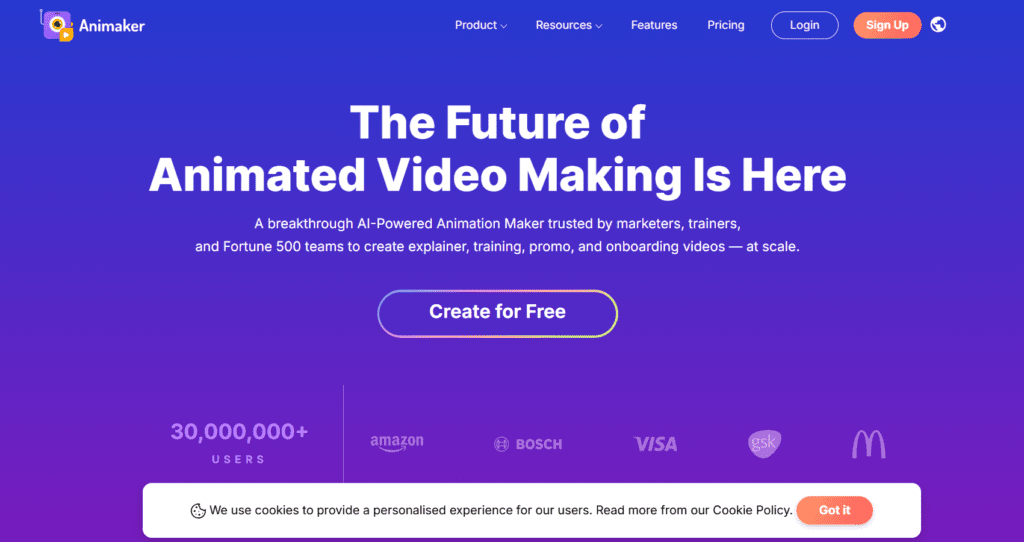
Animaker is an AI-powered animation and video creation platform that lets users design animated videos with a simple drag-and-drop interface. The tool allows individuals and businesses to create explainer videos, marketing videos, presentations, and social media animations without advanced animation expertise. Its cloud-based editor includes characters, templates, and visual assets that simplify the video production process.

The platform integrates AI animation technology, customizable characters, voice generation tools, and video editing features to streamline the entire animation workflow. Users can create animated scenes, adjust motion effects, and synchronize voiceovers within a single interface. This makes Animaker especially useful for marketers, educators, and content creators who need engaging visual storytelling.

Because Animaker is browser-based and template-driven, it reduces the complexity typically associated with animation software. Users can create professional-looking animated videos by combining scenes, characters, text, and audio. The platform focuses on accessibility, allowing beginners and professionals to create animated content efficiently.

Review Summary

  • Performance Score A+
  • Content Quality Very High
  • Interface User-Friendly
  • Ai Technology AI-assisted animation generation, Natural language processing for voice generation, Automated character animation systems, Motion graphics rendering algorithms, Machine learning video processing, Cloud-based video rendering infrastructure
  • Purpose Animated video creation, Explainer videos for businesses, Marketing and promotional videos, Educational video content, Social media video production, Presentation animations, Storytelling and visual content creation
  • Compatibility Windows, macOS, Linux, Mobile browsers
  • Pricing Summary Free limited access with Subscription Plans

Animaker Key Features

  • 1

    Drag-and-Drop Animation Builder

  • 2

    Pre-Built Video Templates

  • 3

    Customizable Animated Characters

  • 4

    AI Voice Generator

  • 5

    Lip-Sync Animation

  • 6

    Extensive Asset Library

  • 7

    Scene-Based Video Editing

  • 8

    Motion Effects and Transitions

  • 9

    Text Animation Tools

  • 10

    Cloud-Based Video Rendering

  • 11

    HD Video Export

  • 12

    Social Media Video Formats

  • 13

    Character Builder Tool

  • 14

    Collaboration Features

Who Should Use Animaker?

Animaker review covering features, pricing, and AI animation tools. Create animated videos, explainer videos, and marketing content with ease

Is Animaker Worth It?

Animaker offers a free starting point, while paid plans may make sense for heavier or team-based use.

Pros And Cons

Pros

  • Powerful yet beginner-friendly animation platform that allows users to create professional animated videos without advanced design skills.
  • Its large template library and customizable characters significantly accelerate video production workflows.
  • Integrated AI voice generation and lip-sync animation tools simplify the production of narrated videos.
  • The cloud-based platform enables fast rendering and easy access from any device without requiring specialized software.

Cons

  • The free plan includes export limitations and watermark restrictions, which may affect professional use.
  • Rendering times for complex animations may increase depending on project size and asset usage.
  • Some advanced animation tools and higher export resolutions are restricted to premium plans

Animaker Pricing

Basic

$15/Month

  • 50 Gen AI Asset Credits/mo
  • 10 AI Video Generations/mo
  • No Generative Video Credits
  • 5 mins video length
  • HD Quality Videos
  • Whiteboard Animations
  • No watermark
  • AI Text-to-Speech Generator

Pro

$43/Month

  • 20 Premium Downloads/mo
  • 180 secs Generative Video/mo
  • 300 Gen AI Asset Credits/mo
  • 30 mins video length
  • 300 AI Video Generations/mo
  • 2K Quality Videos
  • Whiteboard Animations
  • Commercial rights
  • Version History
  • Multiple download formats
  • 2 Factor Authentication (2FA)
  • Custom fonts

Frequently Asked Questions