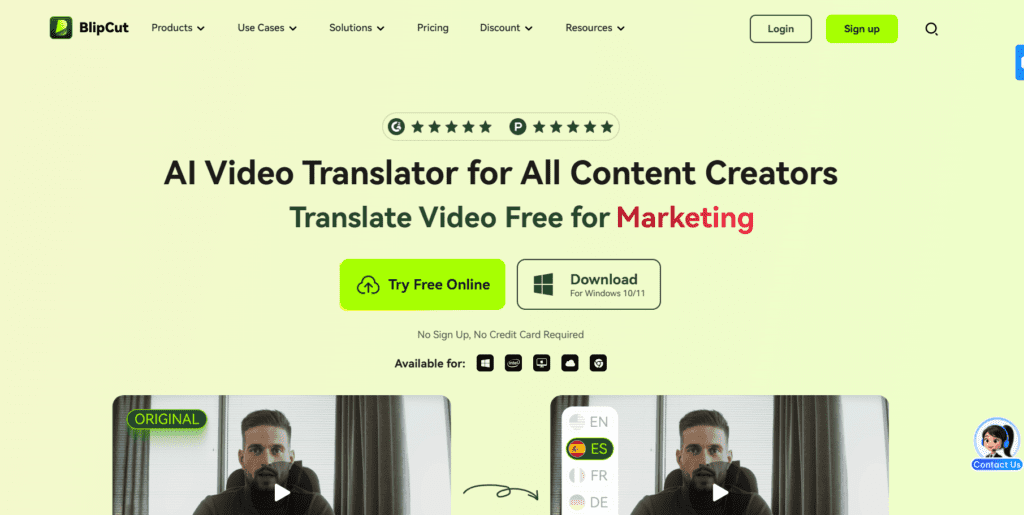
BlipCut AI Video Translator is the tool that translates video content into 140+ languages, generates subtitles, AI voiceovers, and natural-sounding dubbed audio.
★★★★★
4.0/5 editorial rating758 upvotes
Main category: video
Subcategory: Video Translation
Pricing: Freemium
Web
Best For
Content creators, marketers, educators, and businesses for multilingual video translation and AI voice dubbing.
Editorial note: ratings and verdicts on this page are internal editorial assessments, not third-party user review averages.
BlipCut Verdict
Our Daily AI Tool experts rated BlipCut AI Video Translator 4.0/5 for its excellent performance in multilingual translation and AI voice cloning. The platform excels at quickly translating videos into over 140 languages with editable transcripts. Its pricing structure and occasional translation limits on longer files. Overall, it is excellent for creators and small teams requiring affordable video localization.
What Is BlipCut?
BlipCut AI Video Translator is the tool that translates video content into 140+ languages, generates subtitles, AI voiceovers, and natural-sounding dubbed audio. The platform is built on advanced AI models, including large language understanding and voice-cloning technologies.
The models enable context-aware translation and genuine-sounding voice reproduction. BlipCut’s capabilities include batch translation, multi-speaker recognition, adjustable subtitles, and flexible editing workflows.
The platform is ideal for YouTubers, marketers, international educators, and companies expanding into global markets.
Review Summary
Performance ScoreA
Content QualityNatural voice cloning and accurate subtitle timing.
InterfaceUser-friendly but occasionally complex pricing layout.
Ai TechnologyUses context-aware AI and voice cloning for realistic results.
PurposeBest suited for video localization and multilingual content delivery.
CompatibilityBrowser-based with optional desktop support.
Pricing SummaryFlexible but credit-based and potentially confusing.
BlipCut Key Features
1
Translate videos into 140+ languages
2
Generate the automatic subtitles
3
AI voice cloning
4
Natural-sounding dubbed audio
5
Multi-speaker recognition
6
Lip-sync adjustments
7
Batch video translation
Who Should Use BlipCut?
BlipCut AI Video Translator is the tool that translates video content into 140+ languages, generates subtitles, AI voiceovers, and natural-sounding dubbed audio.
Is BlipCut Worth It?
BlipCut offers a free starting point, while paid plans may make sense for heavier or team-based use.
Pros And Cons
Pros
Supports translation into 140+ languages.
AI voice cloning with lip-sync for natural dubbing.
Batch processing for multiple videos.
Free trial with an editable translation workflow.
Useful for creators, educators, and businesses.
Cons
Credit-based pricing can be confusing to estimate.
Some users report issues with longer video translations.
Mixed customer support experiences (from Trustpilot).
Limited control over advanced editing beyond translation.
Occasional interface updates may confuse returning users.
BlipCut Pricing
Weekly
$16.99/wk
Offers 30 credits per week
AI translation up to 30 minutes
Or AI subtitle up to 120 minutes
Or AI clipping for up to 300 minutes
Monthly
$39.99 / month
90 credits per month
AI video translation (up to 90 mins).
Subtitle generation, voice dubbing, and clipping credits
Pay-as-you-go
$189.99
300 credits in total
AI video translation up to 300 minutes
AI subtitle generation up to 1,200 minutes
AI clipping up to 3,000 minutes
AI voiceover up to 600,000 characters.
Frequently Asked Questions
BlipCut supports translation into 140+ languages for video and audio content.
Yes, there is a free online version that lets you try translation and editing features
Yes, it includes AI voice cloning to replicate the speaker’s voice in translated audio.
Yes, it works in the browser and also offers downloadable desktop versions.
It’s ideal for creators, marketers, educators, and businesses needing fast, scalable video localization.