Discover, Compare & Master Find the best AI tools for your next project in seconds. Check our latest AI insights

Inbox Zero

Verified

Detailed Inbox Zero AI review covering pricing, Gmail automation, AI email cleanup tools, pros & cons, and expert verdict updated for 2026

4.3/5 editorial rating 716 upvotes
  • Main category: writing
  • Subcategory: AI Email Assistant
  • Pricing: Freemium
  • Web
  • Best For Gmail users, productivity seekers, inbox cleanup automation
  • Free Trial Yes
  • Reviewed By Tariq Abbasi
  • Last Updated March 16, 2026

Editorial note: ratings and verdicts on this page are internal editorial assessments, not third-party user review averages.

Inbox Zero Verdict

The Daily AI Tools experts found that Inbox Zero AI is a practical and automation-focused email productivity tool built primarily for Gmail users. It simplifies inbox cleanup through AI-powered categorization, bulk actions, and smart unsubscribe features. While it is not a full AI email-writing assistant, it excels at reducing clutter and efficiently maintaining Inbox Zero. For users overwhelmed by newsletters and low-priority emails, it provides measurable value affordably.

What Is Inbox Zero?

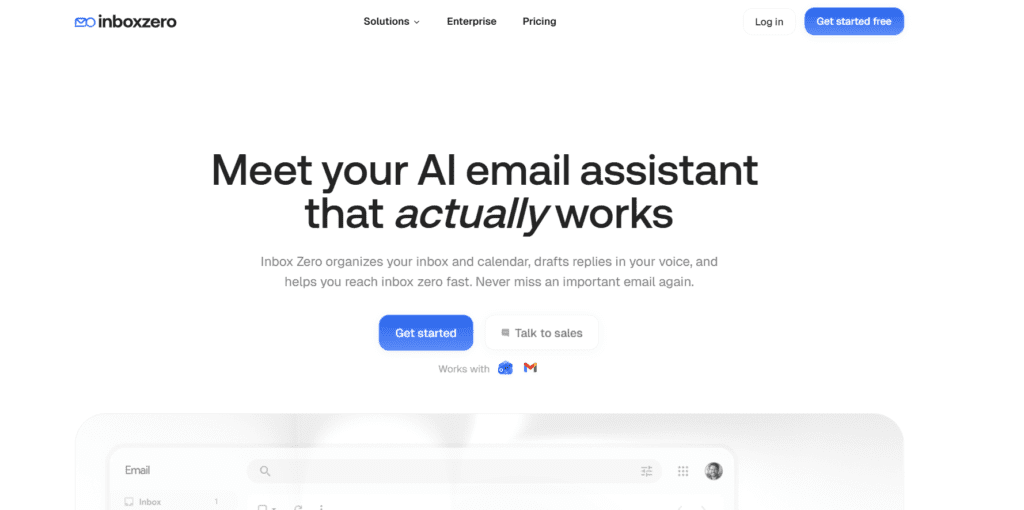
Inbox Zero AI is an AI-powered email management tool designed to help users clean, organize, and automate their Gmail inbox. Unlike traditional email clients, it does not replace Gmail. Instead, it connects securely and adds intelligent automation features that help reduce inbox overload.

The platform uses artificial intelligence to categorize emails, identify newsletters, detect low-priority messages, and enable bulk cleanup actions. Users can unsubscribe from multiple mailing lists at once, archive or delete emails in batches, and apply smart filters to streamline inbox organization. This makes it especially useful for users who receive high volumes of promotional or subscription-based emails.

Inbox Zero AI focuses on inbox decluttering and email automation rather than AI email drafting. It supports workflow efficiency by helping users reach Inbox Zero faster without manually sorting hundreds of messages. For professionals, freelancers, and remote workers who rely on Gmail daily, it serves as a productivity accelerator rather than a communication replacement.


Review Summary

  • Performance Score A
  • Content Quality High
  • Interface User-Friendly
  • Ai Technology AI-based email categorization, smart filtering, bulk automation detection
  • Purpose Gmail users seeking automated inbox cleanup and reduced email clutter
  • Compatibility Google Gmail accounts (Web-based access)
  • Pricing Summary Free limited access + Subscription Plan

Inbox Zero Key Features

  • 1

    Bulk Unsubscribe Tool

  • 2

    Subscription Detection Dashboard

  • 3

    AI Email Categorization

  • 4

    Gmail Integration

  • 5

    One-Click Bulk Delete & Archive

  • 6

    Privacy-Focused Access

  • 7

    Smart Filters & Automation Rules

Who Should Use Inbox Zero?

Detailed Inbox Zero AI review covering pricing, Gmail automation, AI email cleanup tools, pros & cons, and expert verdict updated for 2026

Is Inbox Zero Worth It?

Inbox Zero offers a free starting point, while paid plans may make sense for heavier or team-based use.

Pros And Cons

Pros

  • Effective bulk unsubscribe and cleanup automation
  • Simple and beginner-friendly interface
  • Affordable pricing with a free plan
  • Saves significant inbox management time
  • Strong Gmail-focused optimization

Cons

  • Limited to Gmail accounts only
  • No AI email drafting features
  • Not built for advanced team collaboration
  • Lacks deep workflow automation beyond cleanup

Inbox Zero Pricing

Starter

$20/User/Month

  • Sorts and labels every email
  • Draft replies in your voice
  • Blocks cold emails
  • Bulk unsubscribe and archive emails
  • Email analytics
  • Pre-meeting briefings

Plus

$35/User/Month

  • Everything in Starter
  • Slack integration
  • Auto-file attachments
  • Unlimited knowledge base

Professional

$50/User/Month

  • Everything in Plus
  • Team-wide analytics
  • Priority support
  • Dedicated onboarding manager

Frequently Asked Questions