Discover, Compare & Master Find the best AI tools for your next project in seconds. Check our latest AI insights

Superhuman AI

Verified

Superhuman AI review covering pricing, features, AI email writing, inbox automation, speed, pros & cons, and expert verdict. Neutral analysis for professionals.

4.5/5 editorial rating 854 upvotes
  • Main category: writing
  • Subcategory: AI Email Assistant
  • Pricing: Freemium
  • Web
  • Mobile
  • Extension
  • Best For Founders, executives, sales teams, operators, and high-volume email users
  • Free Trial yes
  • Reviewed By arbaazkhan
  • Last Updated March 3, 2026

Editorial note: ratings and verdicts on this page are internal editorial assessments, not third-party user review averages.

Superhuman AI Verdict

The Daily AI Tools experts found that Superhuman remains one of the fastest AI-powered email clients available in 2026. Its strength lies in speed, precision, and intelligent drafting. However, it is designed primarily for individual productivity rather than advanced workflow automation or complex team collaboration. For professionals who process hundreds of emails weekly, the efficiency gains are measurable.

What Is Superhuman AI?

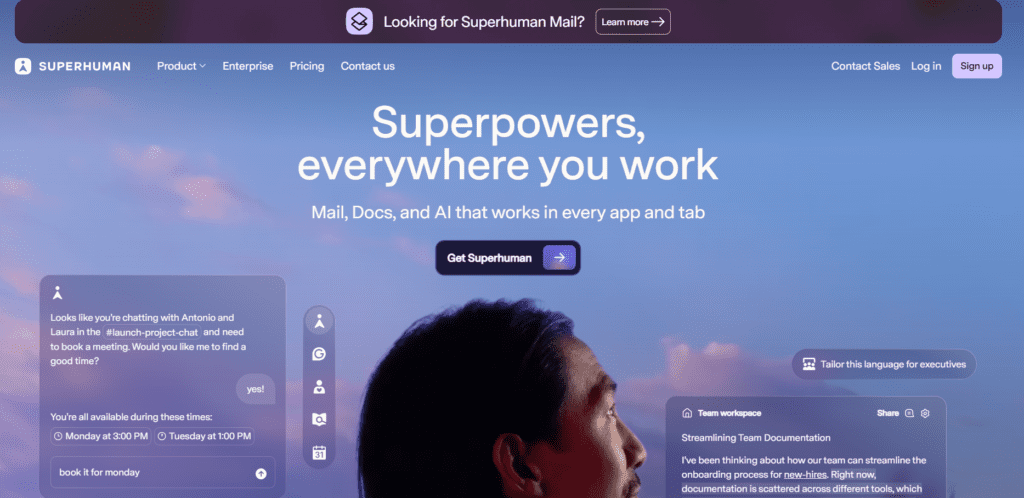
Superhuman AI is a premium AI-powered email client developed by Superhuman that enhances existing inboxes like Gmail and Microsoft Outlook. Instead of replacing your email provider, it adds a powerful productivity layer designed to help professionals manage high email volume faster and more efficiently.

As an advanced AI email assistant, Superhuman uses artificial intelligence to generate full email drafts, rewrite messages for tone and clarity, summarize long threads, and automatically prioritize important conversations. Unlike basic smart compose tools, it can create structured, context-aware responses tailored for sales outreach, executive communication, recruiting, and internal collaboration.

Superhuman AI is built around speed and Inbox Zero efficiency. With keyboard navigation, follow-up reminders, read receipts, and split inboxes, it transforms email into a streamlined, AI-optimized workflow for founders, executives, and high-performance teams.


Review Summary

  • Performance Score A
  • Content Quality High
  • Interface User-Friendly
  • Ai Technology Proprietary large language model integrations for contextual drafting, summarization, tone adjustment, and priority detection
  • Purpose Email-heavy professionals seeking AI-assisted productivity and faster inbox processing
  • Compatibility Google Workspace, Gmail, Microsoft Outlook, macOS, Windows, iOS, Android
  • Pricing Summary Free + Subscription Model

Superhuman AI Key Features

  • 1

    AI Email Drafting

  • 2

    Read Receipts & Engagement Tracking

  • 3

    Thread Summaries

  • 4

    Keyboard-First Workflow

  • 5

    Split Inbox & Priority Detection

  • 6

    Shared Conversations

  • 7

    Automated Follow-Up Reminders

  • 8

    Calendar & Availability Sharing

Who Should Use Superhuman AI?

Superhuman AI review covering pricing, features, AI email writing, inbox automation, speed, pros & cons, and expert verdict. Neutral analysis for professionals.

Is Superhuman AI Worth It?

Superhuman AI offers a free starting point, while paid plans may make sense for heavier or team-based use.

Pros And Cons

Pros

  • Extremely fast email processing
  • High-quality AI-generated drafts
  • Strong Inbox Zero workflow tools
  • Effective follow-up automation
  • Clean, distraction-free interface

Cons

  • Premium pricing compared to standard email clients
  • Learning curve for shortcut mastery
  • Limited advanced automation rules
  • Fewer third-party integrations than team-focused platforms

Superhuman AI Pricing

Free

$0

  • Chat with AI that works in every application and tab
  • Write without mistakes in 6 languages
  • Write with AI that adapts to your voice and tone
  • Create collaborative docs with tables, charts, Kanban boards, and forms
  • Speed up workflows in docs with formulas and automations

Pro

$30/Month

  • Get unlimited paragraph rewrites and translations in 19 languages
  • Spot AI-generated text and fix accidental plagiarism
  • Ensure your writing is always on brand
  • Publish docs to custom domains with your team’s branding
  • Get unlimited doc size with 30-day version history
  • Create better docs faster with AI templates and insights

Business

$40/Month

  • Fly through your inbox and save 4 hours every single week
  • Organize your inbox with AI and respond faster to what matters most
  • Write emails with personalized AI that sounds like you
  • View and update HubSpot, Salesforce, and Pipedrive right from your inbox
  • Get unlimited automations and version history in all your docs
  • Sync data from Jira, GitHub, Figma, and more into your docs

Frequently Asked Questions